





Have you ever wondered why your favourite show looks crisp on one screen but blurry on another? As the demand for high-definition streaming tv canada grows, many viewers find that a standard subscription is not enough to guarantee a premium experience. Achieving a true cinema-like atmosphere at home requires more than just a fast internet connection.
New to IPTV? Read our complete IPTV Canada guide to understand how it all works.
Modern digital broadcasting now relies on advanced resolution and high dynamic range to deliver vivid colours. To enjoy iptv 4k canada content, you must ensure your hardware is properly optimized for the task. Understanding these technical foundations is the first step toward mastering your canada tv streaming setup.
Key Takeaways
- High-definition viewing requires a stable and fast internet connection.
- Hardware optimization is essential for a cinema-like home experience.
- Modern broadcasting standards now prioritize high dynamic range for better colour.
- Proper equipment setup prevents common issues like buffering or low resolution.
- Understanding technical requirements helps you get the most from your subscription.
Understanding the Technical Requirements for IPTV 4K Canada
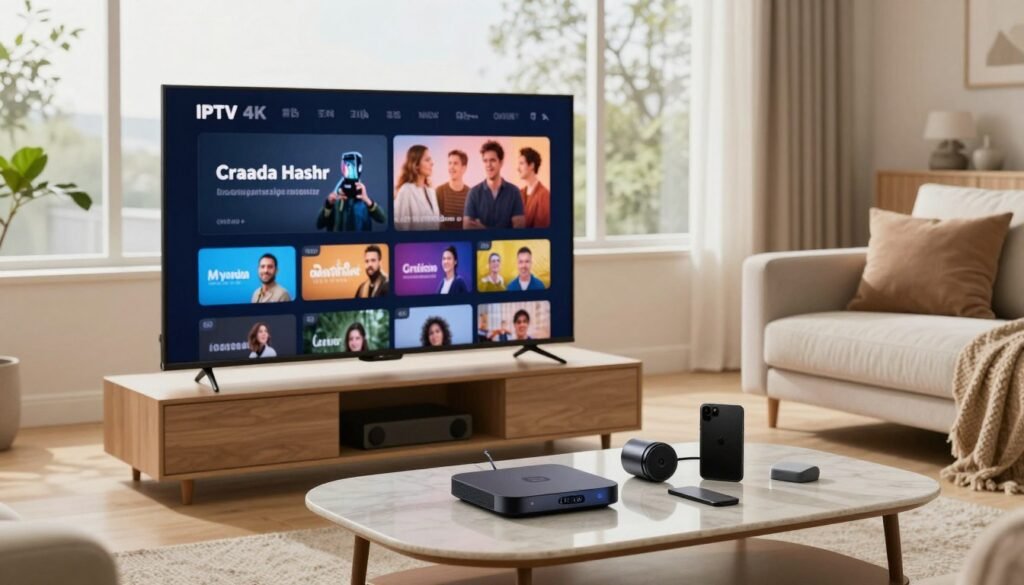
Before you dive into the world of high-resolution content, it is vital to understand the infrastructure supporting your connection. Achieving a flawless iptv 4k canada experience requires more than just a high-end television; it demands a robust home network capable of handling massive data streams without interruption.
Bandwidth and Internet Speed Benchmarks
To maintain a consistent 4K stream, your internet connection must meet specific speed thresholds. While standard HD content requires relatively low bandwidth, 4K resolution demands significantly more data to prevent quality degradation.
We recommend the following benchmarks for a smooth experience with 4k streaming services:
- Minimum Speed: 25 Mbps for a single 4K stream.
- Recommended Speed: 50 Mbps or higher to account for background device usage.
- Peak Hour Testing: Always test your speed during evening hours when local network congestion is at its highest.
The Role of Video Codecs in Streaming Quality
Video codecs act as the engine behind internet protocol television, compressing large video files into manageable data packets. The HEVC (H.265) codec is the industry standard for 4K content because it offers superior compression efficiency compared to older formats.
By using HEVC, providers can deliver stunning visual clarity without requiring an impossible amount of bandwidth. This technology ensures that your device can decode high-bitrate video in real-time, maintaining the integrity of the original broadcast.
Latency and Buffering Issues in Canadian Networks
Latency, often referred to as “lag,” can be the primary enemy of live sports and real-time broadcasts. Even with high speeds, network delays can cause frustrating buffering that ruins the immersion of your favorite iptv 4k canada content.
Canadian networks often face challenges during peak usage hours, which can lead to packet loss and jitter. To mitigate these issues, ensure your internet protocol television setup is optimized for stability. Reliable connectivity is just as important as raw speed when accessing premium 4k streaming services across the country.
Essential Hardware for High-Definition Streaming
Investing in a high-quality iptv box canada is essential for smooth, buffer-free viewing. While your service provider delivers the data, your hardware acts as the final gatekeeper for visual fidelity. Choosing the right device ensures you can enjoy high definition tv channels without constant interruptions or quality drops.
NVIDIA Shield TV Pro Performance
The NVIDIA Shield TV Pro remains a top-tier choice for enthusiasts who demand the best performance. Its powerful Tegra X1+ processor handles high-bitrate streams with ease, making it a reliable iptv 4k canada solution. The standout feature is its AI-enhanced upscaling, which breathes new life into lower-resolution content by sharpening details in real-time.
Amazon Fire TV Stick 4K Max Capabilities
For those seeking a balance between cost and performance, the Amazon Fire TV Stick 4K Max is a formidable contender. It supports Wi-Fi 6, which is crucial for maintaining a stable connection when streaming high definition tv channels. This compact device is perfect for users who want a portable yet powerful iptv box canada that fits discreetly behind any television.
Apple TV 4K Integration and Ecosystem
The Apple TV 4K offers a seamless experience for users already invested in the Apple ecosystem. Its A15 Bionic chip provides industry-leading speed, ensuring that navigating through menus and switching between apps is incredibly fluid. When configured correctly, it serves as a robust hub for iptv 4k canada, delivering consistent frame rates and vibrant color reproduction.
- NVIDIA Shield TV Pro: Best for power users and AI upscaling.
- Amazon Fire TV Stick 4K Max: Best for affordability and Wi-Fi 6 connectivity.
- Apple TV 4K: Best for ecosystem integration and overall system speed.
Ultimately, the device you select dictates the stability of your stream. A capable processor prevents frame drops, while advanced networking hardware ensures your connection remains steady during peak hours. Prioritizing hardware quality is just as important as selecting a reputable service provider.
Evaluating IPTV Service Providers in the Canadian Market
Navigating the crowded market for streaming tv canada can feel overwhelming without a clear strategy. With so many options available, finding a reliable partner is essential for a smooth viewing experience. Always prioritize providers that offer a trial period, as this allows you to test the connection quality before committing to a long-term iptv subscription.

Identifying Reliable Canadian IPTV Providers
A reputable canadian iptv provider will typically offer transparent support channels and consistent uptime. Look for services that provide dedicated apps or clear setup guides for popular devices. Testing the service during peak evening hours is a smart way to verify if they can handle high traffic without dropping frames.
“Quality is never an accident; it is always the result of high intention, sincere effort, intelligent direction and skillful execution.”
Distinguishing Between Legal and Unauthorized Services
Understanding the difference between authorized and unauthorized platforms is vital for your digital security. Legal 4k streaming services invest heavily in licensing and secure infrastructure to protect user data. In contrast, unauthorized services often lack encryption, which can expose your personal information to unnecessary risks.
Choosing a legitimate service ensures that you are supporting content creators while enjoying a stable platform. Reliability is the hallmark of a professional service, whereas unauthorized streams often suffer from frequent outages and poor video quality.
Server Stability and Content Delivery Networks
The backbone of the best iptv service lies in its server infrastructure and the use of Content Delivery Networks (CDNs). A robust CDN ensures that data is delivered from a server geographically close to your home, which is critical for high-bitrate 4K content. Without this, you may experience constant buffering regardless of your internet speed.
When evaluating a potential provider, consider their commitment to infrastructure upgrades. The best iptv service providers continuously optimize their networks to maintain high standards for 4k streaming services. By focusing on these technical details, you can ensure your iptv subscription delivers the high-definition experience you expect for streaming tv canada.
Optimizing Your Home Network for 4K Content
Achieving a seamless 4K streaming experience requires more than just a fast internet plan. When you rely on internet protocol television, the internal architecture of your home network becomes the primary factor in video stability. Small adjustments to your hardware setup can prevent frustrating interruptions during your favorite shows.
Router Placement and Signal Strength
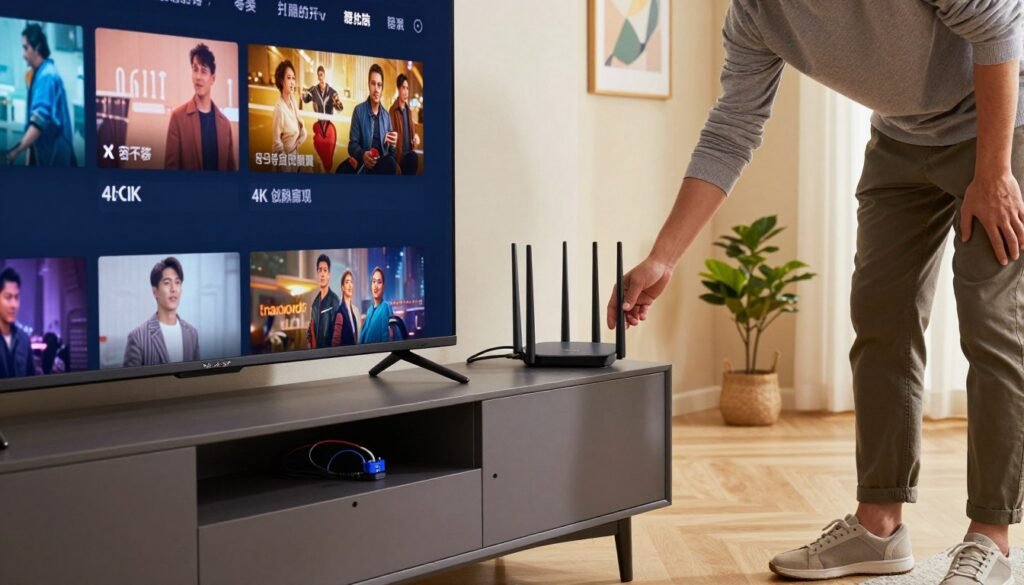
The physical location of your router significantly influences the quality of canada tv streaming throughout your residence. Ideally, place your router in a central, elevated position away from thick walls or metal obstructions. This placement ensures that the wireless signal reaches your devices with minimal degradation.
Avoid placing your router inside cabinets or near other electronic devices that emit interference. Consistent signal strength is vital for maintaining the high bitrates required for 4K resolution. If your home is large, consider using a mesh Wi-Fi system to eliminate dead zones.
Wired Ethernet Versus Wi-Fi Connections
While wireless technology has improved, a hardwired Ethernet connection remains the gold standard for high-definition media. Connecting your streaming device directly to the router via a Cat6 cable eliminates the latency often found in wireless environments. This setup provides a stable path for your internet protocol television data packets.
If you must use Wi-Fi, ensure your router supports the 5GHz or 6GHz bands for faster throughput. These bands are less crowded than the traditional 2.4GHz frequency, which is prone to interference from household appliances. However, for the best canada tv streaming results, prioritize a wired connection whenever possible.
Managing Network Traffic for Multiple Devices
Modern households often have several devices competing for bandwidth simultaneously. To maintain high-quality streams, you should utilize Quality of Service (QoS) settings found in most modern router interfaces. This feature allows you to prioritize traffic for your streaming player over less critical tasks like background downloads.
You can also schedule heavy updates for off-peak hours to keep your network clear. By managing your bandwidth effectively, you ensure that your 4K content receives the priority it needs to function without buffering.
| Connection Type | Stability | Latency | Best Use Case |
|---|---|---|---|
| Ethernet (Cat6) | Excellent | Very Low | 4K Streaming |
| Wi-Fi 6 (5GHz) | Good | Low | General Browsing |
| Wi-Fi (2.4GHz) | Fair | High | Smart Home Devices |
Display Technology and Resolution Standards
Understanding how your screen processes data is vital for a premium viewing experience. While many users focus solely on internet speed, the hardware responsible for rendering images is equally important. Your television acts as the final bridge between digital signals and your eyes.
Differences Between 1080p HD and 4K UHD
The primary difference between standard high definition and ultra-high definition lies in the pixel count. A 1080p display contains roughly two million pixels, whereas a 4K screen packs over eight million. This density allows for sharper details and clearer textures when watching high definition tv channels.
When you upgrade to 4K, you notice a significant increase in clarity, especially on larger screens. This resolution standard ensures that even small text or fine patterns remain crisp. It is the gold standard for modern home entertainment setups.

High Dynamic Range and Color Depth Explained
Resolution is only one piece of the puzzle. High Dynamic Range (HDR) significantly improves the contrast ratio of your display. It allows for brighter highlights and deeper shadows, creating a more lifelike image.
Color depth works alongside HDR to provide a wider spectrum of hues. By displaying more shades of color, your TV avoids the “banding” effect often seen in lower-quality panels. This technology is essential for those who subscribe to premium 4k streaming services.
Ensuring Your Television Supports High-Bitrate Streams
To get the most out of your hardware, you must verify your TV settings. Many modern sets require you to manually enable features like “Ultra HD Deep Color” or “HDMI Enhanced Mode” in the input menu. Without these settings, your TV may struggle to process high-bitrate data correctly.
Refresh rates also impact your viewing experience. For action-heavy content or sports, a display that supports 60Hz or higher is highly recommended to prevent motion blur. Always check your manufacturer’s manual to ensure your HDMI cables and ports are rated for high-bandwidth throughput.
| Feature | 1080p HD | 4K UHD |
|---|---|---|
| Pixel Count | 1920 x 1080 | 3840 x 2160 |
| Color Depth | Standard (8-bit) | Enhanced (10-bit+) |
| HDR Support | Limited | Full HDR10/Dolby Vision |
| Best Usage | Casual Viewing | Cinematic Experience |
Common Challenges with IPTV Quality in Canada
Even the best IPTV service can encounter unexpected hurdles when streaming across Canadian networks. While high-speed internet is widely available, various technical factors can still interfere with your ability to enjoy a crisp, high-definition picture.
Understanding these obstacles is the first step toward achieving a more reliable canada tv streaming experience. By identifying the root cause of performance dips, you can take proactive measures to stabilize your connection.
Not sure which tier is right? Read our premium vs standard IPTV comparison.
Dealing with ISP Throttling and Traffic Shaping
Internet Service Providers sometimes implement traffic shaping to manage network congestion. This practice can lead to intentional throttling, where your connection speed is reduced specifically for streaming data packets.
If you notice your video quality drops during specific times, your ISP might be prioritizing other types of traffic over your media stream. Using a high-quality VPN can often mask your traffic type, preventing the network from identifying and slowing down your stream.
Troubleshooting Pixelation and Frame Drops
Pixelation and frame drops are often symptoms of a mismatch between your bandwidth and the stream’s bitrate. If your connection is unstable, the player may struggle to buffer enough data to maintain a smooth image.
First, check if the issue persists across multiple devices or just one. If the problem is isolated to a single device, consider clearing the application cache or updating your software. If the issue is widespread, contact your canadian iptv provider to verify if their servers are experiencing downtime or maintenance.
The Impact of Peak Usage Hours on Streaming
Network congestion is most common during peak evening hours when many Canadians are active online. During these times, the total bandwidth available in your local area may decrease, leading to buffering or lower resolution.
To mitigate this, try testing your connection speed during off-peak hours to establish a baseline. If your performance is significantly better at 3:00 AM than at 8:00 PM, the issue is likely local network congestion rather than a fault with your service.
| Issue Type | Likely Cause | Recommended Action |
|---|---|---|
| Constant Buffering | Low Bandwidth | Use Ethernet cable |
| Sudden Pixelation | ISP Throttling | Enable a secure VPN |
| Total Service Outage | Server Downtime | Check provider status |
| Evening Lag | Network Congestion | Adjust stream quality |
Software and Application Configuration
Your software setup is the final piece of the puzzle for achieving crystal-clear visuals. While hardware provides the foundation, the right configuration ensures that your media streams smoothly without interruptions.
Properly tuned software allows you to take full advantage of your home theater equipment. By adjusting a few key settings, you can significantly improve the clarity and stability of your digital content.
Choosing the Right IPTV Player Applications
Selecting a reliable player is the first step toward a premium viewing experience. You need an application that supports high definition tv channels and offers a user-friendly interface for navigating your content library.
Look for players that provide hardware acceleration, as this feature reduces the load on your device’s processor. Popular options often include customizable EPG (Electronic Program Guide) support and the ability to manage multiple playlists efficiently.
Configuring Audio and Video Settings for Best Output
To achieve a true cinematic feel, you must dive into the audio and video output settings. Enabling audio passthrough is essential if you want your receiver to handle high-quality formats like Dolby Digital Plus or Atmos.
Ensure your video output is set to match the native resolution of your display. If you have an active iptv subscription, verify that the frame rate matching feature is enabled to prevent motion judder during fast-paced sports or action scenes.
| Feature | Basic Player | Advanced Player |
|---|---|---|
| 4K Support | Limited | Full Hardware |
| Audio Passthrough | No | Yes |
| Custom EPG | No | Yes |
| Hardware Decoding | Software Only | Full Support |
Updating Firmware for Optimal Compatibility
Keeping your device software current is vital for long-term performance. Manufacturers frequently release updates for any iptv box canada to patch security vulnerabilities and improve network stability.
Regular updates also ensure that your device remains compatible with the latest streaming codecs. Always check the settings menu of your hardware to enable automatic updates, which saves you time and keeps your system running at its peak.
Legal and Ethical Considerations for Canadian Viewers
Navigating the digital landscape of streaming tv canada requires a clear understanding of both your rights and your responsibilities. As technology evolves, so do the regulations that govern how we consume media in our homes. Staying informed helps you make choices that are both compliant and secure.
Copyright Laws and Digital Streaming Regulations
Canada maintains a robust framework for intellectual property that protects creators and distributors. When you access internet protocol television, it is vital to ensure that the content you view is provided through authorized channels. Using licensed services supports the creative industry and ensures that you are not inadvertently violating copyright standards.
Digital streaming regulations in Canada are designed to balance consumer access with the rights of content owners. Always verify that your service provider holds the necessary distribution rights for the Canadian market. This simple step prevents legal complications and ensures a high-quality, reliable viewing experience.
Protecting Your Privacy While Using IPTV Services
Your personal data is a valuable asset that requires protection when you connect an iptv box canada to your home network. Many streaming services collect usage data, which can sometimes lead to privacy concerns if not managed correctly. You should always review the privacy policy of any application you install on your device.
Encryption is your best defense against unauthorized data tracking. By limiting the information you share with third-party apps, you maintain control over your digital footprint. Always opt for services that prioritize user anonymity and do not require unnecessary personal information for account activation.
The Importance of Using Secure Connections
A secure connection is the foundation of a safe internet protocol television experience. Using a Virtual Private Network (VPN) can add an extra layer of security by masking your IP address and encrypting your traffic. This prevents your Internet Service Provider (ISP) from monitoring your specific streaming habits.
When configuring your iptv box canada, ensure that your router firmware is up to date to patch potential security vulnerabilities. A well-secured network prevents malicious actors from accessing your home devices. The following table outlines key practices for maintaining a secure streaming environment.
| Security Practice | Benefit | Implementation Level |
|---|---|---|
| VPN Usage | Encrypts traffic and hides IP | High |
| Firmware Updates | Patches security holes | Medium |
| Privacy Settings | Limits data collection | High |
| Strong Passwords | Prevents unauthorized access | Medium |
Conclusion
Achieving a premium 4K streaming experience requires a careful balance of hardware, network stability, and service selection. You now possess the knowledge to build a robust setup that handles high-bitrate content with ease.
Selecting the best iptv service involves more than just checking channel lists. It requires verifying server reliability and ensuring your chosen platform respects Canadian digital standards. A high-quality iptv subscription acts as the foundation for your entire media library.
Working with a reputable canadian iptv provider helps you avoid common pitfalls like buffering or poor image resolution. These professionals prioritize network traffic management to keep your streams smooth during peak viewing hours.
Take the time to audit your home network and device settings today. Small adjustments to your router placement or firmware updates often lead to significant improvements in visual clarity. Your commitment to these technical details guarantees long-term satisfaction with your home entertainment system.
Explore your options and start building a superior viewing environment. The right tools and a reliable connection will transform how you consume digital media across Canada.

Leave a Reply