




Are you still paying for expensive cable packages that you rarely watch? As of December 2025, streaming services captured a massive 47.5% of all television viewing in the United States, and this trend is rapidly reshaping how Canadians consume media.
Need help getting started? Follow our complete IPTV setup guide for step-by-step instructions on every device.
The shift toward digital entertainment has never been more apparent. Many households are now looking for flexible, cost-effective alternatives to traditional broadcasting. Learning how to configure iptv on firestick is the perfect way to take full control of your home entertainment setup this year.
This guide provides a clear, step-by-step walkthrough for users across Canada. We will help you navigate the transition from legacy cable to modern, high-definition streaming platforms with ease.
Key Takeaways
- Streaming now accounts for nearly half of all television consumption.
- Transitioning to digital solutions offers significant monthly savings for Canadian families.
- Setting up your device correctly ensures a smooth and buffer-free viewing experience.
- Modern streaming platforms provide greater flexibility than traditional cable providers.
- This guide simplifies the technical process for users of all skill levels.
Understanding IPTV and Its Legality in Canada
If you want to use iptv on firestick, you must first understand the regulatory landscape in Canada. Internet Protocol Television, or IPTV, is simply a method of delivering television content over the internet rather than through traditional satellite or cable formats. While the technology itself is neutral, the way you use it determines your compliance with local laws.
In Canada, copyright laws are strictly enforced to protect content creators and broadcasters. Accessing unauthorized streams that host copyrighted material without permission is considered a violation of these regulations. It is essential to prioritize legitimate services to ensure that your streaming habits remain safe and free from legal complications.
Choosing a reputable provider for your iptv on firestick setup provides peace of mind and a better viewing experience. Legitimate services invest in proper licensing, which often results in higher stream quality and fewer interruptions. You can easily distinguish between authorized platforms and those that operate in a legal grey area by looking at their subscription models and official partnerships.
| Feature | Legitimate IPTV | Unauthorized Services |
|---|---|---|
| Content Licensing | Fully Authorized | Often Pirated |
| Service Stability | High Reliability | Frequent Buffering |
| Security | Encrypted/Safe | High Malware Risk |
| Customer Support | Professional Help | Non-existent |
By sticking to authorized providers, you support the creators of the shows and movies you love. This approach ensures that your home entertainment system remains a source of enjoyment rather than a liability. Always verify that your chosen service respects Canadian copyright standards to maintain a seamless and secure digital environment.
Preparing Your Amazon Firestick for IPTV Installation
Setting up your device to handle custom software is a vital step for anyone looking to stream content efficiently. Before you can successfully run iptv on firestick, you must adjust your system settings to allow installations from outside the official Amazon App Store.
Enabling Developer Options and ADB Debugging
By default, Amazon restricts the installation of third-party applications to ensure device security. You can bypass this by activating the hidden Developer Options menu within your Fire OS settings.
Navigate to the Settings menu, select My Fire TV, and click on About. Press the Select button on your remote seven times on the Fire TV option until a message appears stating that you are now a developer.
Once this is active, return to the previous menu to find the new Developer Options tab. Ensure that both ADB Debugging and Install Unknown Apps are toggled to the ON position.
Installing the Downloader App for Sideloading
The most reliable way to manage your software is by using the official Downloader app. This tool simplifies the process of iptv on firestick installation, taking roughly five minutes to complete from start to finish.
Search for “Downloader” in the Amazon App Store and install it directly to your device. After the download finishes, open the app and grant it the necessary permissions to access your files.
With this utility ready, you are now prepared to sideload your preferred streaming players. This essential setup ensures your device is fully optimized for a smooth and uninterrupted viewing experience.
Selecting the Best IPTV for Firestick Services
Navigating the market for streaming services requires a clear understanding of what makes a provider truly reliable. Choosing the right service is critical for maintaining high-quality streams and consistent access to your favourite content. When you prioritize quality, your experience with iptv on firestick becomes significantly more enjoyable and stable.
Criteria for Choosing a Reliable Provider
To find the best iptv for firestick, you must look beyond simple pricing. A reputable provider should offer robust server infrastructure to prevent constant buffering during live events. Reliable iptv services for firestick also provide dedicated customer support to help you resolve technical issues quickly.
Consider these essential factors when evaluating potential providers:
- Server Stability: Look for providers that guarantee high uptime and minimal lag.
- Customer Support: Ensure they offer responsive help via live chat or email.
- Content Variety: Check if they include a wide range of international and local Canadian networks.
- Device Compatibility: Confirm the service is optimized for the Firestick interface.
Evaluating Subscription Plans and Channel Variety
Finding the right iptv subscription for firestick involves balancing your budget with your specific viewing habits. Many providers offer tiered models, allowing you to choose between monthly, quarterly, or annual payments. It is often wise to start with a short-term plan to test the service quality before committing to a long-term contract.
The diversity of iptv channels on firestick is another major factor in your decision. You want a service that provides a healthy mix of sports, news, and entertainment tailored to your interests. Use the table below to compare how different plan structures might suit your needs:
| Plan Type | Best For | Key Benefit |
|---|---|---|
| Monthly | New Users | Low initial commitment |
| Quarterly | Casual Viewers | Balanced cost and flexibility |
| Annual | Power Users | Best value and long-term savings |
Always verify that the provider offers a trial period if possible. Testing the stream quality firsthand ensures that your chosen service meets your expectations for high-definition viewing. By selecting a reputable provider, you ensure that your streaming remains reliable and consistent throughout the year.
Top IPTV Apps for Firestick to Enhance Your Experience
Finding the best interface can transform how you interact with your media library. Not all applications are created equal, and selecting the right software is vital for smooth daily navigation. When you set up iptv on firestick, the player you choose acts as the primary gateway to your content.
Features of Leading IPTV Players
A high-quality iptv player for firestick is essential for managing large channel lists efficiently. The most effective apps offer robust features that simplify how you browse iptv channels on firestick. Look for software that provides reliable Electronic Program Guide (EPG) support to keep your schedule organized.
Advanced players also include cloud syncing capabilities, allowing you to maintain your settings across multiple devices. This ensures that your favorites and history remain consistent regardless of where you watch. Reliability and speed are the hallmarks of a top-tier application.
“The interface is the most important part of any streaming experience; if it is not intuitive, the content loses its value.”
Comparing User Interfaces and Compatibility
When searching for the best iptv for firestick, you must consider how the interface feels during daily use. A clean, modern layout allows you to jump between live broadcasts and on-demand movies without frustration. Some apps prioritize a minimalist design, while others offer dense, information-rich dashboards.
Compatibility is another critical factor for your living room setup. You should prioritize apps that offer:
- Cross-platform support for seamless transitions between devices.
- Customizable menu layouts to hide unwanted categories.
- Hardware acceleration to ensure smooth video playback.
- Frequent updates to maintain security and performance standards.
By testing a few different options, you can find the perfect balance of aesthetics and functionality. Choosing an app that aligns with your viewing habits will make your entertainment experience much more enjoyable.
How to Install IPTV on Firestick Using Downloader
Now that your device is prepared, it is time to learn how to install IPTV on Firestick using the Downloader app. This utility is the most efficient way to sideload applications that are not available in the official Amazon Appstore. By using this method, you gain access to a wider range of streaming tools for your home entertainment setup.
Entering the Correct Source URL
Typing long, complex web addresses with a standard remote control can be a frustrating experience. Fortunately, the Downloader app supports numeric shortcodes that instantly redirect you to the correct file location. To download your chosen player, simply open the app and enter the code 1411180 into the URL field.
This specific code is designed to fetch the IPTV One APK, which is widely considered one of the best IPTV for Firestick options available today. Once you enter the digits, click the “Go” button to initiate the download process. The application will automatically begin retrieving the necessary files from the secure server.
Navigating the Installation Prompts
After the download finishes, your Firestick will automatically prompt you to install the application. You may see a security notification asking for permission to install apps from unknown sources. Simply select “Settings” within the prompt to toggle the permission switch for the Downloader app to “On.”
Once you have granted the necessary permissions, return to the installation screen and select “Install.” This final step integrates the software into your Fire OS environment, allowing you to find some of the top IPTV apps for Firestick directly in your app library. After the process completes, you can launch the player immediately to begin your initial configuration.
Configuring Your IPTV Player with M3U Playlists
Configuring your streaming software is the essential bridge between your subscription and your television screen. Once you have successfully set up your preferred iptv player for firestick, the next step is to link it to your service provider. This process ensures that your device can communicate with the server to deliver high-quality content directly to your home.
Understanding M3U Links and EPG URLs
To get started, you need to understand the two primary components that organize your media. An M3U link acts as a digital playlist that tells your app exactly where to find your iptv channels on firestick. Without this file or URL, the application would have no source to pull video data from.
The EPG URL, or Electronic Program Guide, is equally important for a smooth experience. It provides the metadata required to display accurate show titles, descriptions, and air times. By syncing this link, you ensure that your guide remains updated, allowing you to browse your iptv subscription for firestick with ease and precision.
Inputting Credentials and Server Details
Most modern applications offer multiple ways to connect your account. While many users rely on M3U playlists, advanced players often support Xtream Codes or Stalker Portals for a more stable connection. When you learn how to install iptv on firestick, you will notice that these methods require specific server URLs, usernames, and passwords provided by your service.
To finalize the setup, navigate to the settings menu within your chosen application. Select the option to add a new playlist or provider, then carefully enter the credentials provided by your service. Double-check your entries for any typos, as even a single incorrect character can prevent the service from loading your content library correctly.
Optimizing Your Streaming Quality and Performance
Achieving a seamless viewing experience requires more than just a fast internet connection. When you use iptv on firestick, maintaining high-definition clarity for live sports or movies is essential. Most playback issues stem from network instability rather than the application itself, meaning you have the power to improve your results.
Adjusting Buffer Settings and Video Resolution
Many advanced players allow you to manually configure buffer sizes to handle fluctuations in your home network. If you notice frequent stuttering, increasing the buffer duration can provide a cushion against temporary speed drops. This simple adjustment often resolves playback interruptions during peak usage hours in Canada.
“Quality is not an act, it is a habit.”
You should also check your video resolution settings within the app. While 4K streaming is impressive, it requires significant bandwidth that your connection might not consistently support. Lowering the resolution to 1080p can often stabilize your iptv on firestick experience without a noticeable loss in visual quality.
Managing Cache to Prevent Lag
Over time, your device accumulates temporary data that can slow down performance. Regularly clearing the app cache is a vital maintenance step to keep your interface responsive and prevent lag. This process removes junk files that may interfere with smooth video playback.
To keep your system running at peak performance, follow these quick steps:
- Navigate to the Firestick Settings menu.
- Select Applications and then Manage Installed Applications.
- Find your player and choose the option to Clear Cache.
By performing this maintenance, you ensure that your iptv on firestick setup remains reliable. Consistent care for your software environment is the best way to enjoy uninterrupted entertainment every single day.
Essential Security Measures for IPTV Users
Securing your digital footprint is the most important step you can take when using an iptv on firestick setup. While streaming offers endless entertainment, it also exposes your connection to potential monitoring. Taking proactive steps ensures that your viewing habits remain private and your data stays protected from prying eyes.
Claim your free IPTV trial in Canada and test every feature before committing.
Have a Smart TV? See our IPTV Smart TV setup guide for Samsung, LG, and Android TV.
Why a VPN is Necessary for Canadian Viewers
In Canada, internet service providers often monitor traffic to manage network congestion. This practice can lead to intentional throttling, where your connection speed drops significantly during peak streaming hours. A Virtual Private Network (VPN) acts as a secure tunnel for your data, preventing your provider from seeing exactly what you are streaming.
By masking your IP address, a VPN ensures that your online activity remains anonymous. This is vital for anyone using an iptv on firestick device, as it keeps your personal information hidden from third parties. When you encrypt your traffic, you effectively bypass unnecessary restrictions and maintain consistent streaming quality.
Protecting Your Privacy While Streaming
Choosing the right security tools is just as important as selecting your content provider. You should look for a VPN service that offers a strict no-logs policy, ensuring that your browsing history is never recorded or stored. Reliable services also provide high-speed servers that prevent buffering issues during high-definition playback.
To maintain a high level of security, consider these essential practices:
- Always enable the kill switch feature to prevent data leaks if the connection drops.
- Select a provider with servers located in multiple countries to optimize your connection.
- Regularly update your VPN app to ensure you have the latest security patches for your iptv on firestick installation.
- Avoid using free, unverified VPN services that may sell your data to advertisers.
By following these simple steps, you can enjoy your favorite media with peace of mind. Protecting your privacy is a small investment that pays off by keeping your digital life secure and your streaming experience smooth.
Troubleshooting Common IPTV on Firestick Issues
Even the most reliable streaming setups can occasionally run into unexpected technical hurdles. When you use iptv on firestick, you might encounter minor glitches that disrupt your viewing experience. Fortunately, most of these problems are simple to resolve with a few basic maintenance steps.
Resolving Connection Errors and Black Screens
A black screen or a sudden loss of connection is often caused by network instability or server-side maintenance. First, check your internet connection to ensure your Wi-Fi signal is strong and stable. Restarting your device is often the most effective way to clear temporary memory errors that cause these black screens.
If the issue persists, verify that your service provider is not currently undergoing scheduled maintenance. You can often check their official status page or social media channels for updates. Always ensure your login credentials are entered correctly, as an expired subscription or a typo can lead to authentication failures.
Updating Apps and Clearing App Data
Keeping your software current is vital for a smooth experience. You should regularly check the Amazon Appstore or your sideloaded sources to ensure your iptv player for firestick is running the latest version. Developers frequently release updates to fix bugs and improve compatibility with the latest Fire OS updates.
If an application becomes unresponsive or sluggish, clearing the cache is a highly effective solution. Navigate to your device settings, select your applications, and choose the option to clear cache and data for your specific iptv player for firestick. Performing a clean install of your application data can often resolve persistent performance issues and restore your streaming environment to peak condition.
Exploring Free IPTV on Firestick Options
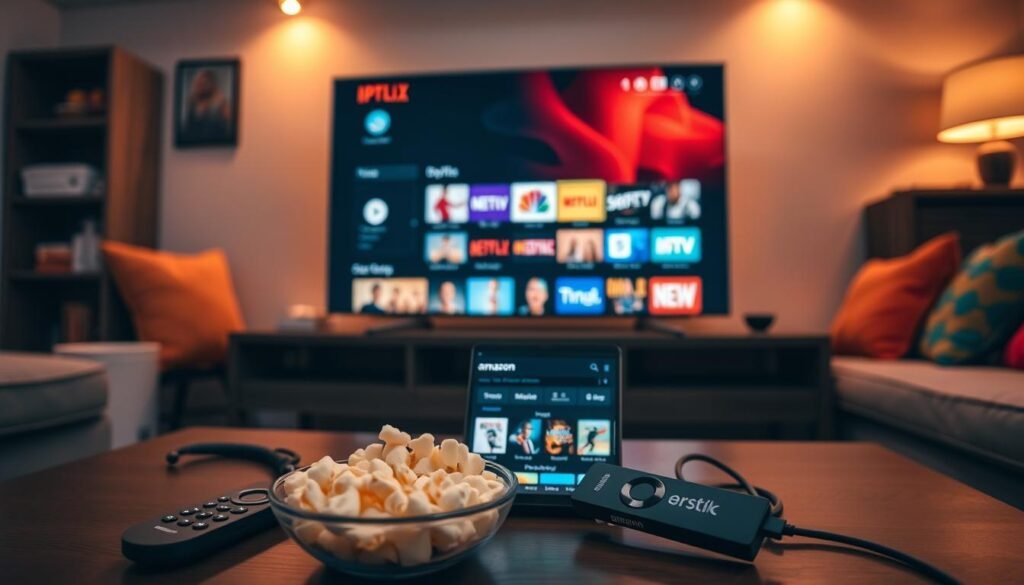
Navigating the world of free streaming options requires a careful balance between cost savings and digital safety. While many users search for free iptv on firestick, it is vital to recognize that not all sources are created equal. Making informed choices helps protect your device and your personal information from potential threats.
Risks and Limitations of Free Services
Unverified providers often present significant security risks to your home network. Many unofficial iptv services for firestick lack the encryption and infrastructure found in premium platforms, leaving your data vulnerable to interception.
Beyond security, users frequently encounter technical frustrations when relying on unverified sources. Common issues include:
- Frequent buffering and sudden stream interruptions.
- Outdated channel lists that fail to load correctly.
- Lack of customer support or technical troubleshooting resources.
- Potential exposure to malicious software or intrusive advertisements.
Relying on these services can turn your iptv on firestick experience into a chore rather than a form of entertainment. It is often better to prioritize stability over the allure of a zero-cost subscription.
Finding Legitimate Free-to-Air Content
Fortunately, you can access high-quality entertainment without resorting to questionable third-party providers. Canada offers several legitimate platforms that provide free, ad-supported content that is perfectly safe for your device.
By sticking to official applications, you ensure a smooth viewing experience while supporting content creators. Consider these reliable alternatives for your streaming needs:
- CBC Gem: Offers a vast library of Canadian programming and news.
- Pluto TV: Provides a wide variety of live channels and on-demand movies.
- Tubi: A massive collection of films and television shows available at no cost.
Choosing these established platforms ensures that your iptv services for firestick remain secure and functional. By avoiding unverified sources, you protect your privacy and enjoy a consistent, high-quality streaming experience every time you turn on your television.
Conclusion
The landscape of home entertainment is changing rapidly across Canada. Projections suggest that 80.7 million households in the United States will cut the cord by the end of 2026, a trend mirrored by many viewers seeking better value. Setting up your iptv on firestick represents a smart step toward taking full control of your media consumption.
You now possess the tools to curate a personalized viewing experience that fits your lifestyle. Maintaining your iptv on firestick setup requires regular app updates and consistent security practices. These simple habits protect your privacy while ensuring your device runs smoothly for years.
Streaming technology offers incredible freedom and flexibility for modern homes. We invite you to explore the vast library of content available through your new configuration. Enjoy the high-quality entertainment and the convenience that comes with your optimized streaming device.

Leave a Reply